
Best for
LED display projects in Malaysia that need this Novastar product as part of the control or playback path.
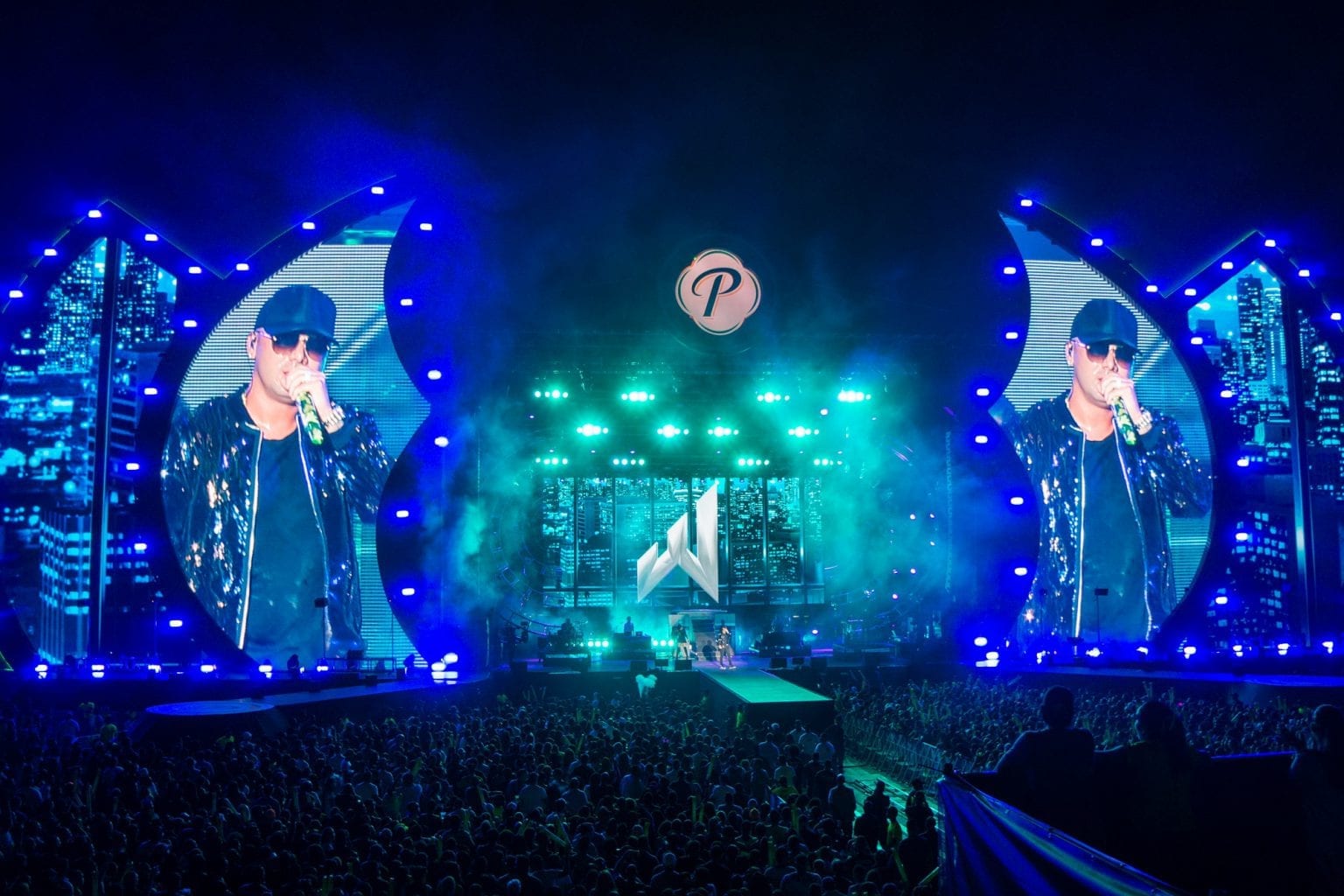
A totally new way to experience event poeration is coming
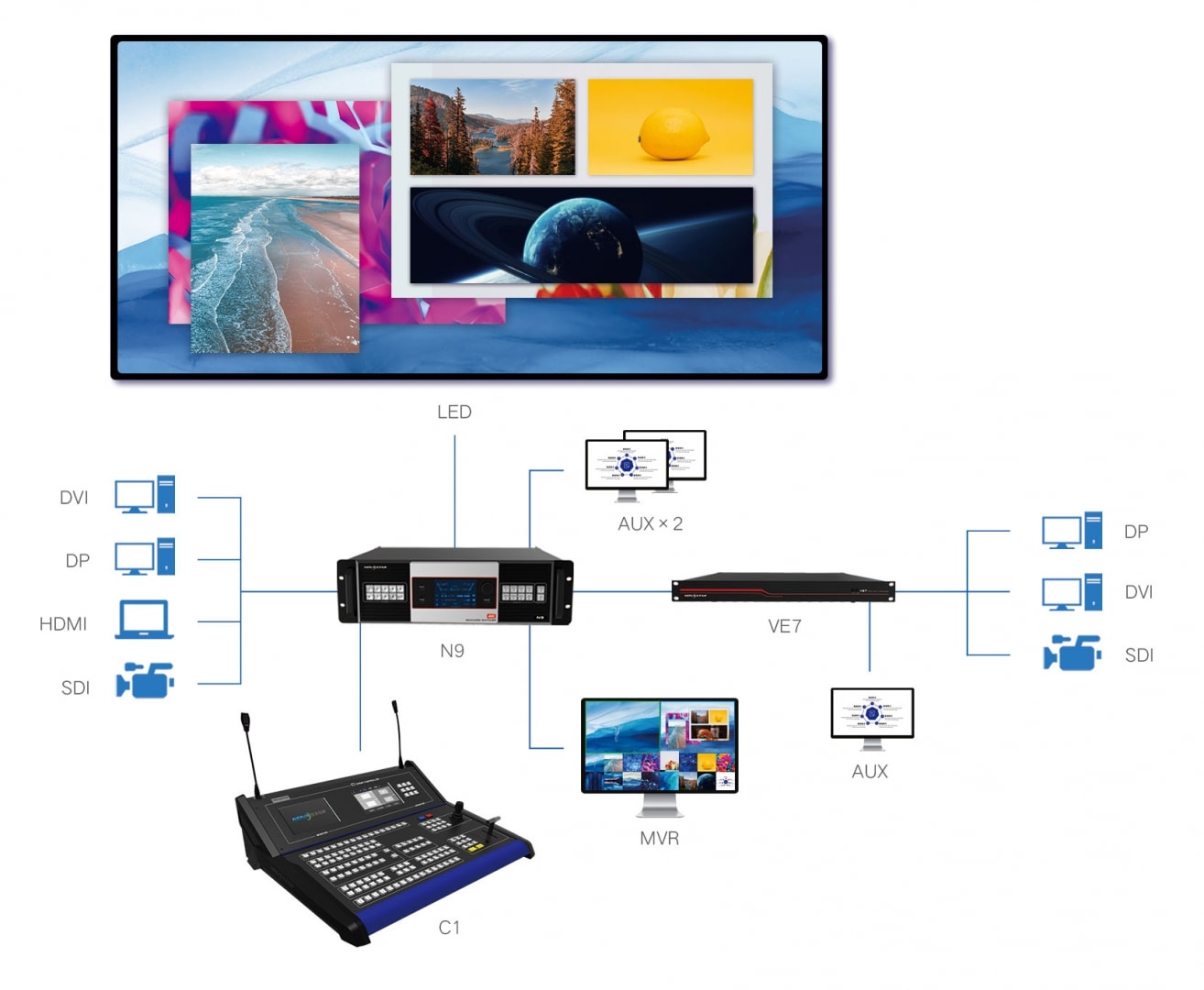
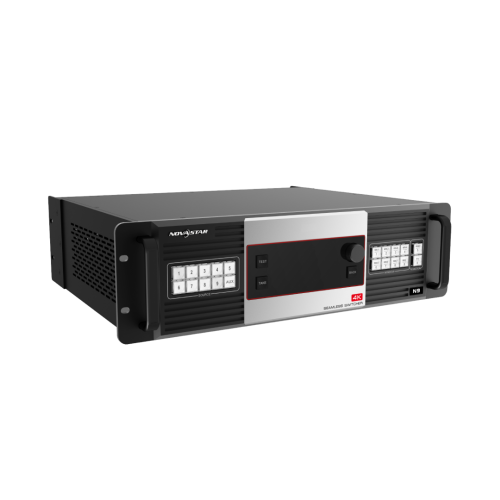
For stage control or TV studio applications, quick and stable control is a must. The C1+N9+VE7 is the perfect solution to meet the needs of this type of application. The N9 acts as a switcher, splicer and processor, the VE7 is a video Input Expander, while the C1 console handles the stage control. With a dual-screen design, the C1 removes the necessity of complex and slow software operation, allowing you to effortlessly control the stage.
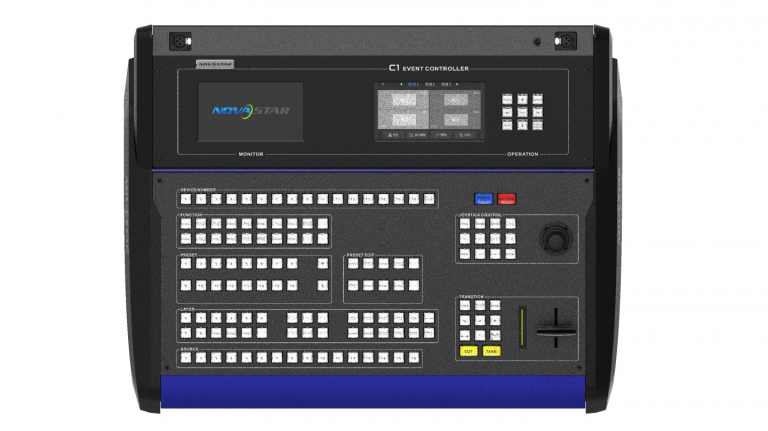
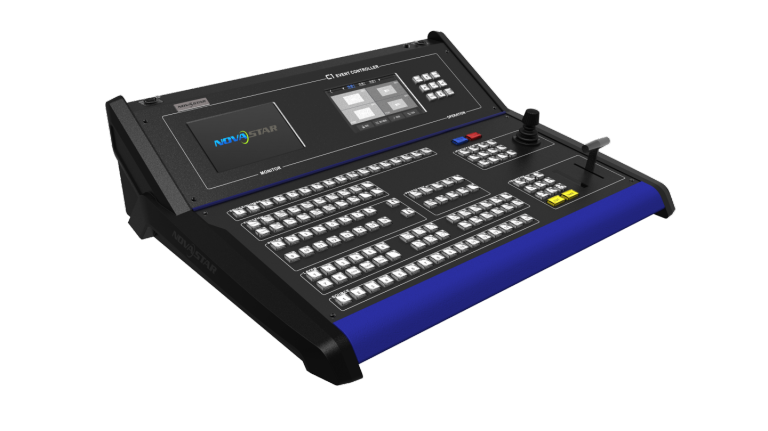
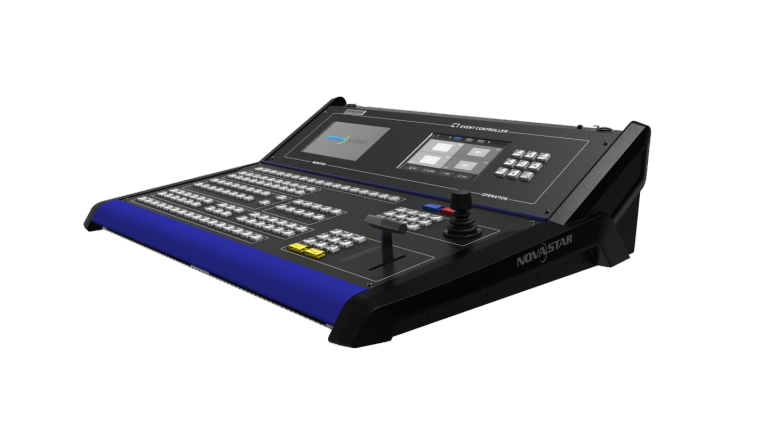

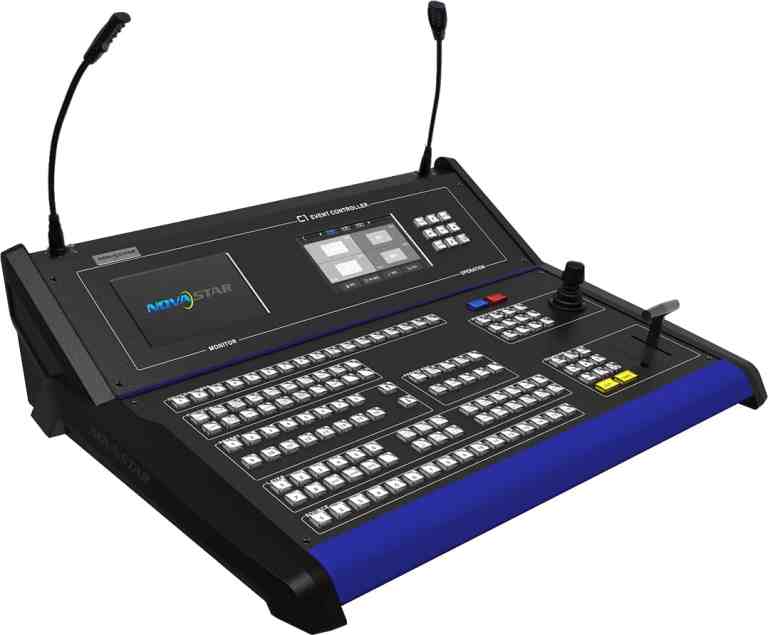
C1, a console specially designed for NovaStar’s terminal video processing products, such as J series, is mainly used for live stage control.
The C1 is designed with two LCD screens. One is used for previewing input sources. The other, together with buttons on the panel, is used to configure the layer size, layer position, input source, output resolution, layer border and input source cropping under each preset.
The C1 is also designed with a joystick and T-Bar. The joystick is used to precisely adjust the size and position of layers. The T-Bar supports adjustment of 1024 levels of layer transparency, finely controlling the transition effects of presets and PVW, PGM for switching.
Thanks to the cool lighted buttons, highly sensitive joystick and T-Bar, plus the two LCD screens, the C1 is extremely easy to operate, making live stage control most convenient. ●Support two LCD screens, one for monitoring, and the other touch screen for operating. During operating, users can view on one of the LCD screens the input source status, preview status and status of output on LED display, so that the overall situation is under control.
●Supports control of NovaStar video splicing processors.
●Supports screen mosaic, easy mosaic, output image quality adjustment, BKG settings, EDID settings, test patterns, and switching from normal display to blackout with one button press.
●Supports up to 32 presets.
●Supports preset copying, use of preset templates, preset customizing, saving of custom presets, preset data cleanup, lockup of preset area on C1 operation panel.
●Supports up to 8 × layers, and 1 × BKG.
●Supports configurations of shape layers and layer mask.
●Supports layer adding with one button press, layer cleanup with one button press, and moving a layer to the front or back with one button press.
●Supports layer editing, layer image quality adjustment, layer border settings, and layer freezing.
●Supports settings of the layer size and position through the joystick and buttons.
●Supports Aux configuration.
●Supports input source cropping.
●Supports 13 layer transition effects and settings of transition duration.
●Supports adjustment of the joystick’s sensitivity.
●Supports manual adjustment of the fade transition effect of layers by using the T-Bar.
●Supports remote or live control of terminal video processors through RJ45. Port and Button | Quantity | Description |
Ethernet (RJ45) | 1 | A port to remotely control the terminal through network |
USB | 1 | Used to update program, or connect to the upper computer |
U-DISK | 1 | Connects to a USB drive to import USB files. |
Monitor | 1 | l IN: An HDMI preview connector that connects to the HDMI preview connector of a terminal |
RS232 | 1 | A control connector that connects to the upper computer |
Reset button | 1 | A pinhole reset button used to reset and restart the C1 |
Input power | AC 100~240V, 50/60Hz |
Power consumption | 50 W |
Operating temperature | 0°C–50°C |
Storage temperature | -20°C–60°C |
Humidity | 0%–95% RH |
Dimensions | 541.46 mm × 649.90 mm × 204.46 mm |
Weight | 14 kg |
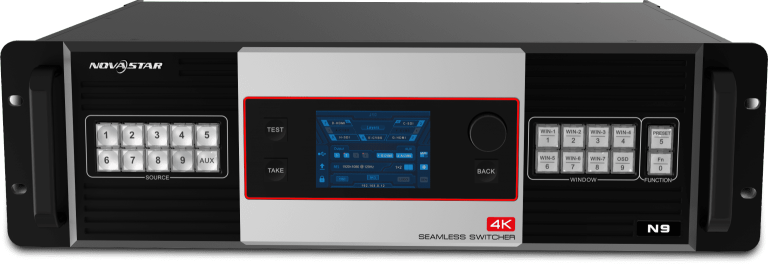
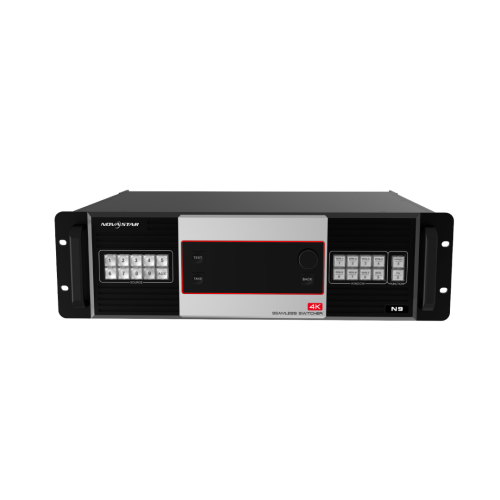
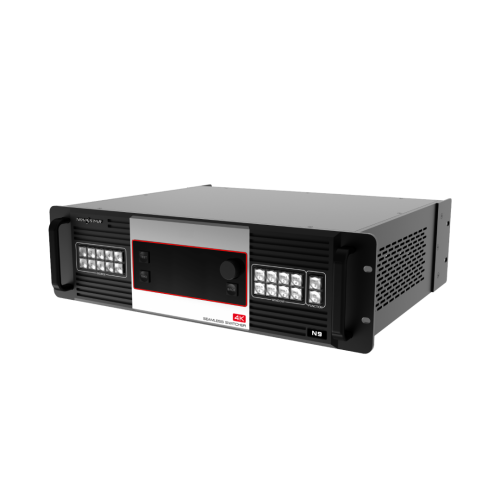
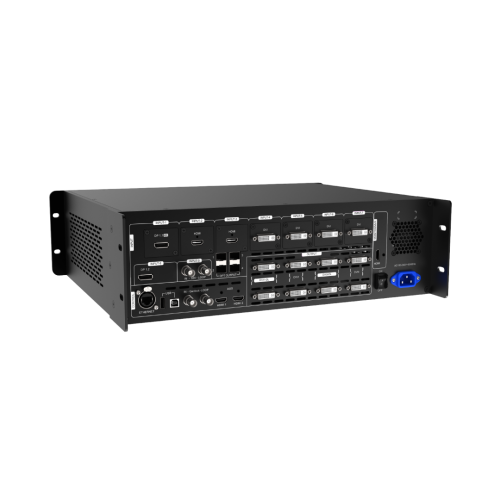
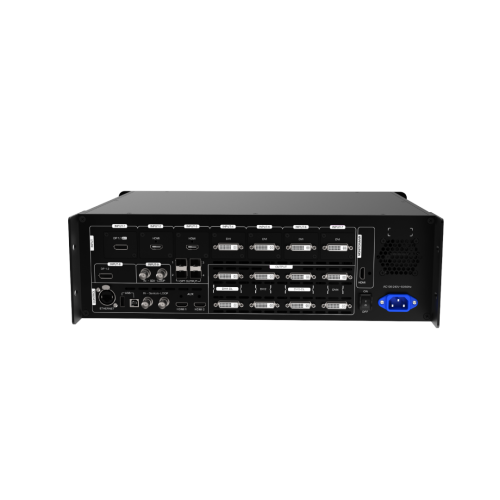
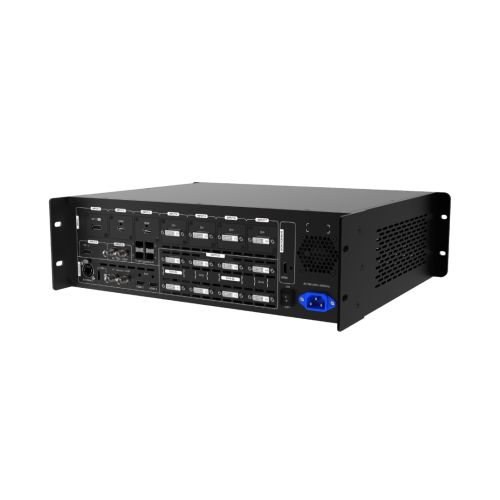
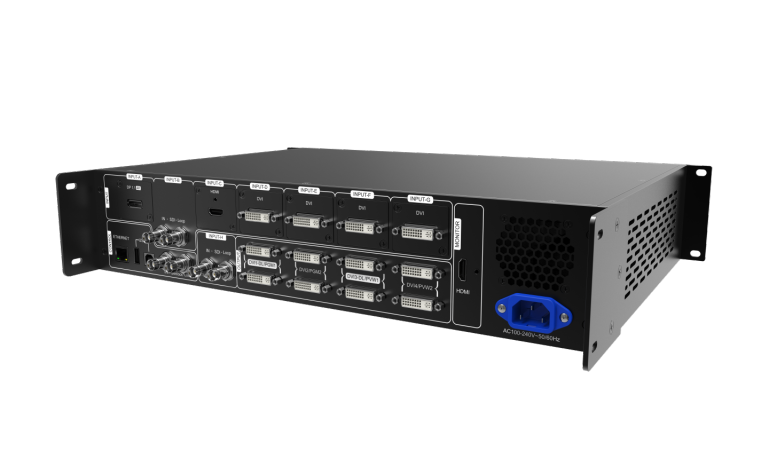
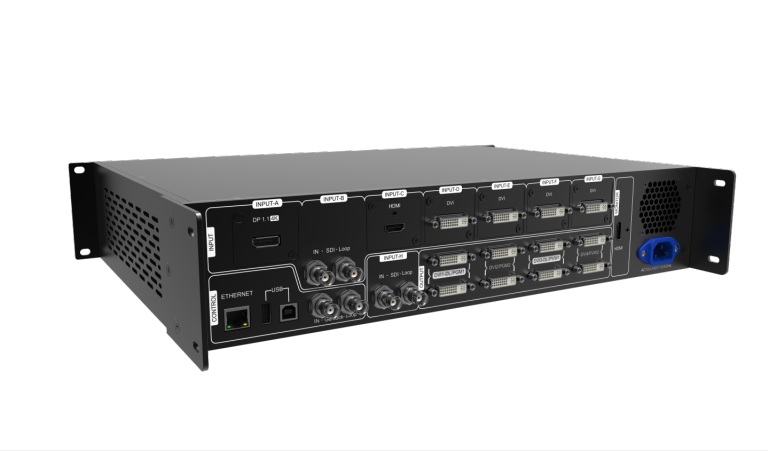
The N9 is a high-performance seamless switcher that integrates video processing, screen mosaic, transition effects and multi-screen display capabilities. With powerful video signal receiving and processing abilities, the N9 supports up to 4K×2K@60Hz video input. Using high-performance video processing technologies, it is capable of processing and outputting ultra-high quality images. The N9 supports 9 video inputs, 7 layers and up to 4 group of DVI connectors for mosaic output. A single N9 unit can load an up to 8KK screen, and multiple N9 units can be cascaded for output.

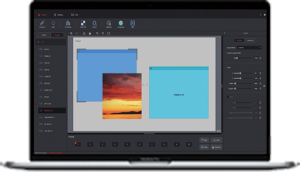
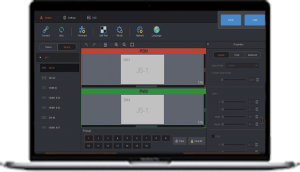
The N9 can work with NovaStar’s C1 event controller and brand-new V-Can smart control software, to realize richer screen mosaic effects and easier operation.

Thanks to the powerful capabilities of receiving and processing a variety of video signals, the N9 can be widely used in various scenarios, such as intermediate and high-end rental, stage control, media centers, big conference sites, exhibition sites and concert control centers. Compatible with industry-standard video input connectors in the market
●DP 1.2 connector: 3840×2160@60Hz
●DP 1.1 connector: 3840×2160@30Hz
●HDMI 1.3 connectaor: 1920×1080@60Hz
●DVI connector: 1920×1080@60Hz
●3G-SDI connector: 1920×1080@60Hz
4 groups (2 connectors in each group) of DVI connectors for mosaic output
Each group includes a main connector and a backup connector. A maximum of 4 connectors can be used for mosaic output. The mosaic layout can be 4×1, 1×4 or 2×2. The maximum loading capacity can reach 8,800,000 pixels and the maximum mosaic width can be up to 8192 pixels.
Supports 4 single-link connectors or 2 dual-link connectors for mosaic output.
Multiple layer display
●Up to 7 layers supported at the same time. Max. resolutionof each layer can be up to 4K×2K. Cross connector output is supported.
●Layer cloning, layer mirroring and Z-order layer sorting aresupported.
Customized BKG settings
You can load an image file from the control computer or C1 event controller, or you can also capture an input source image displayed on the screen as the BKG image.
Input source cropping supported
Easy mosaic and custom mosaic
EDID management supported
Supports input resolution management for DVI, HDMI and DP connectors.
Display control and transition effects
●Allows you to black out or freeze the screen by simplyclicking one button.
●Supports setting of transition effect and effect duration.
HDMI connector for output monitoring
●Supports monitoring of all input sources, PVW and PGM.
●Supports displaying of input resolution and frame rate.
2 × Aux output
32 × preset
A total of 32 user presets can be created and saved as templates which can be used directly and conveniently.
Multiple operation modes
You can operate the N9 via its front panel, the V-Can smart control software or C1 event controller.
Genlock synchronization or synchronization with any input source, achieving output vertical synchronization Input | |
INPUT-1 | DP 1.1 connector |
INPUT-2 | HDMI 1.3 connectors |
INPUT-3 | |
INPUT-4 | DVI connectors |
INPUT-5 | |
INPUT-6 | |
INPUT-7 | |
INPUT-8 | DP 1.2 connector |
INPUT-9 | 3G-SDI connector |
SDI LOOP for SDI signal loop output | |
Output | |
HDMI | HDMI output connector, capable of monitoring 9 input sources, PVW and PGM |
DVI1-DL/PGM1 | DVI 1 output |
DVI2/PGM2 | DVI 2 output |
DVI3-DL/PVW1 | DVI 3 output |
DVI4/PVW2 | DVI 4 output |
HDMI1/HDMI2 | 2 Aux output connectors |
Control | |
ETHERNET (RJ45) | A control connector |
USB (Type-B) | For the connection with control computer |
USB (Type-A) | For cascading N9 units |
IN–Genlock–LOOP | For synchronizing cascaded devices |
OPT OUTPUT | 4 optical fiber connectors for controlling the VE7 video input expander |
Power | |
AC100V-240V~ 50/60Hz | AC power connector |
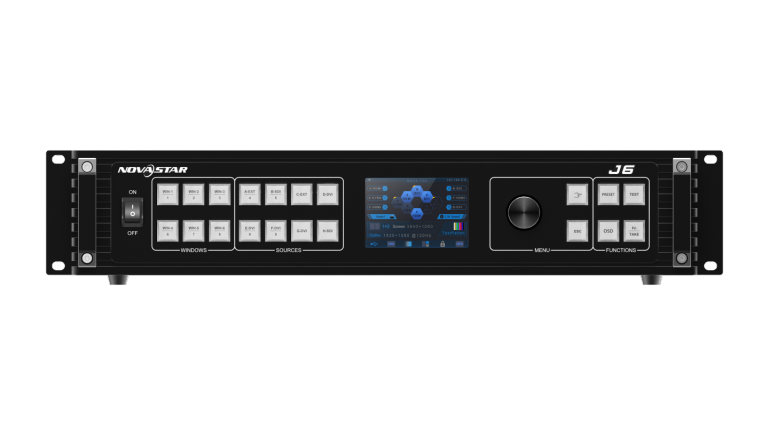
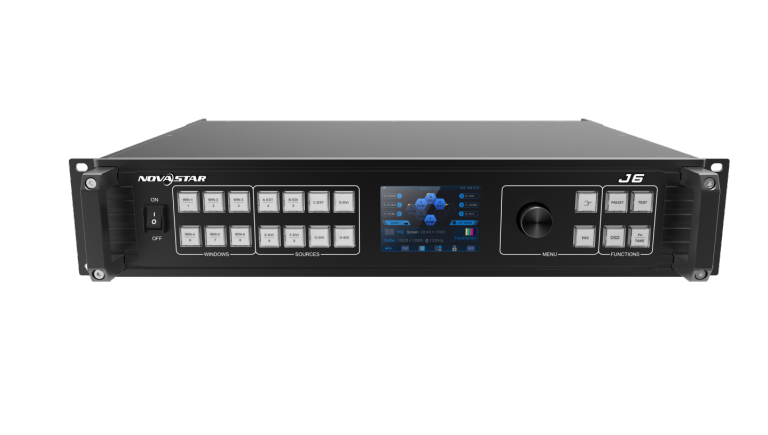
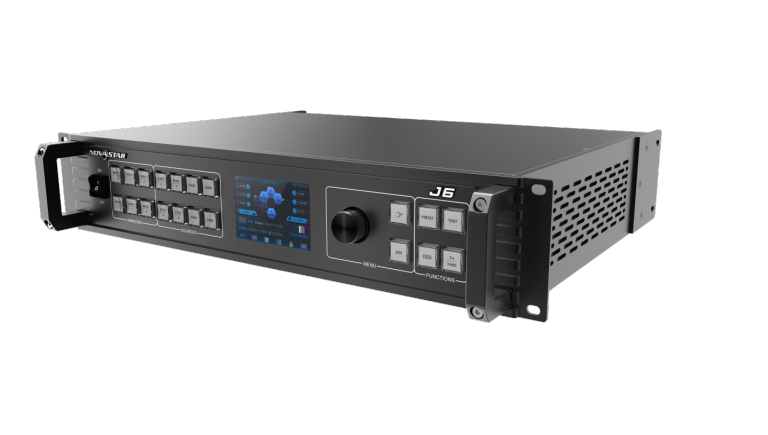
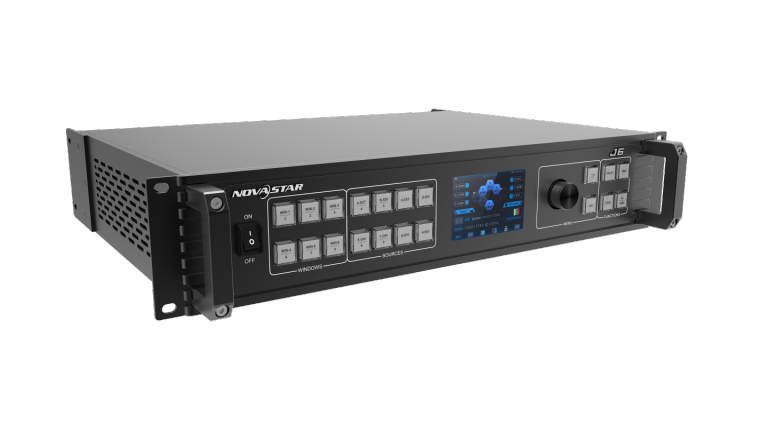
The J6 is a NovaStar high-performance seamless switcher that integrates video processing, screen mosaic, transition effects and multi-screen display capabilities. The J6 offers powerful video signal receiving and processing abilities, and supports up to 8 inputs with the resolutions up to 4K×2K@30Hz and 6 windows. Besides, this product supports two system modes: Splicer and Switcher. When it is in Splicer mode, a maximum of 4 DVI output connectors can be used together for output, which can realize an up to 8KK loading capacity of each J6 unit. When it is in Switcher mode, a maximum of 2 DVI output connectors can be used together for output, which can realize an up to 4KK loading capacity of each J6 unit.

Based on powerful FPGA platform, the J6 supports input and output EDID management and color adjustment, seamless transition of a variety of input sources, as well as fade and other transition effects, bringing you a more flexible and rich visual experience.

What’s more, the J6 is equipped with NovaStar V-Can smart control software and C1 event controller, allowing for a rich screen mosaic effect via V-Can, C1 or front panel operations. With excellent image quality, ultra-large loading capacity and flexible operation modes, the J6 can be widely used in conference reports, exhibition centers, stage control and other application scenarios. Compatible with industry-standard video input connectors in the market
● DVI connector: 1920×1080@60Hz input
● HDMI 1.3 connector: 1920×1080@60Hz input
● 3G-SDI connector: 1920×1080@60Hz input
● DP 1.1 connector: 4K×2K@30Hz input
● HDMI 1.4 connector: 4K×2K@30Hz input
4 groups (2 connectors in each group) of DVI output connectors of a single J6 unit for mosaic output
Each group includes a main connector and a backup connector. A maximum of 4 connectors can be used for mosaic output. The mosaic layout can be 4×1, 1×4 or 2×2. The maximum loading capacity can reach 9,200,000 pixels and the maximum mosaic width can be up to 15360 pixels.
Dual system modes
The J6 supports both Splicer and Switcher modes, which can meet different application requirements.
Multiple window display
The J6 supports up to six 4K×2K windows with random layout. Each window supports cross connector output.
HDMI connector for output monitoring
● Supports monitoring of a single input source, PVW or PGM.
● Supports monitoring of all input sources, PVW and PGM.
● Supports displaying of input resolution and refresh rate.
Display control function
Allows you to black out or freeze the screen by simply clicking one button.
EDID management
Supports input resolution management for DVI, HDMI and DP connectors.
Transition effects
In Splicer mode, the J6 supports setting of transition effect for source switching.
In Switcher mode, the J6 supports setting of Take effect and effect duration.
AUX
In Switcher mode, the J6 supports AUX setting.
BKG capturing
The J6 supports capturing of input source and PGM, and the captured image can be used as BKG.
BKG settings
The J6 supports both image BKG and pure color BKG. You can save at most 6 BKG images.
Input color, window color and output color adjustable
Preset management
You can create at most 10 custom presets and load the preset simply by clicking one button.
Window template management
The J6 is built-in with 7 window templates. You can load one of the window templates to quickly lay out the windows.
Multiple operation modes
You can operate the J6 via its front panel, the V-Can smart control software or C1 event controller.
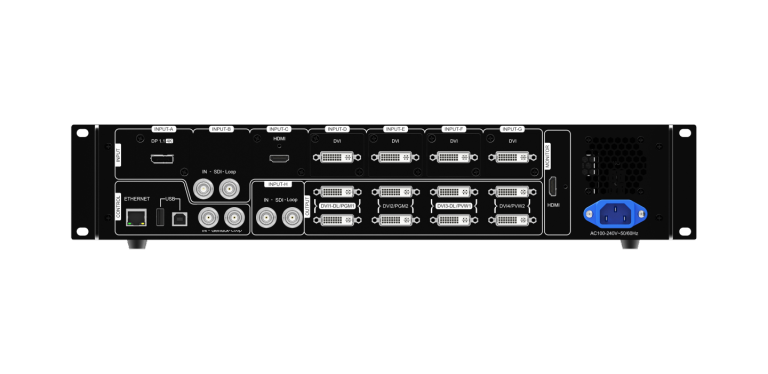
Visualized color LCD screen and distinct button indicators on front panel, simplifying system control operations Connector | Input | DVI | Input resolution up to 1920×1200@60Hz and downward compatible | |
3G-SDI | Input resolution up to 1920×1080@60Hz and downward compatible | |||
HDMI1.3 | Input resolution up to 1920×1080@60Hz and downward compatible | |||
DP1.1 | Input resolution up to 4K×2K@30Hz and downward compatible | |||
HDMI1.4 | Input resolution up to 4K×2K@30Hz and downward compatible | |||
Output | DVI | 4 groups (2 connectors in each group) of DVI output connectors can be used for mosaic output. | ||
HDMI | A monitoring connector | |||
Control | Ethernet | Communicate with PC or connect to the network. | ||
USB (Type-B) | Connect to the PC for device control. | |||
USB (Type-A) | A reserved connector | |||
Connector performance | Common input and output resolutions | DVI | 800×600@50/60/75/85Hz | 1366×768@50/60Hz |
DP1.1 | 800×600@50/60/75/85Hz | 1680×1050@60Hz | ||
3G-SDI | 480i, 576i | |||
Electrical specifications | Power connector | AC100V~240V 50/60Hz。 | ||
Power consumption | 50W | |||
Operating environment | Operating temperature | 0℃~60℃ | ||
Storage temperature | -20℃~60℃ | |||
Physical specifications | Dimensions | 482.6mm×379.5mm×94.7mm | ||
Weight | 3810g | |||
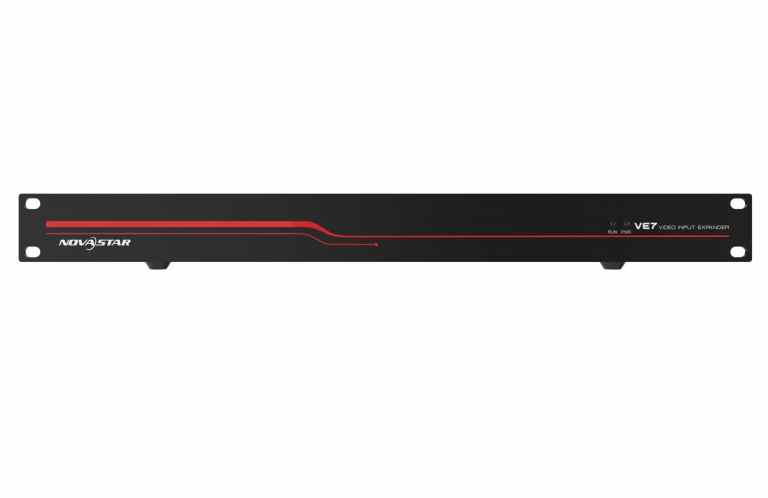
● Industry-standard video input connectors
○ DVI: 1920×1080@60Hz and other VESA standard video source inputs
○ HDMI 1.3: 1920×1080@60Hz and other VESA standard video source inputs
○ 3G-SDI: 1920×1080@60Hz
○ DP 1.1: 4K×2K@30Hz
○ HDMI 1.4: 4K×2K@30Hz
● 4 optical fiber outputs
 The VE7 can output the received video inputs to the N9 seamless switcher via 4 optical fiber output connectors.
● DVI MVR output
○ Monitoring all input sources
○ Displaying input resolution and frame rate
○ Loop output of one input source
● EDID management and input color adjustment
○ Input resolution management of DVI, HDMI and DP connectors
○ Input color adjustment
● Device update via V-Can or NovaLCT
Input | ||
DVI | Supports 1920×1080@60Hz and other VESA standard resolutions, downward compatibility and custom resolutions. | |
3G-SDI | Supports up to 1920×1080@60Hz input resolution and downward compatibility. Supports 3G-SDI loop output. | |
HDMI 1.3 | Supports 1920×1080@60Hz and other VESA standard resolutions, downward compatibility and custom resolutions. | |
DP 1.1 | Supports 3840×2160@30Hz input resolution, downward compatibility and custom resolutions | |
HDMI 1.4 | Supports 3840×2160@30Hz input resolution, downward compatibility and custom resolutions | |
Dual DVI | Supports 3840×2160@30Hz input resolution, downward compatibility and custom resolutions | |
Output | ||
DVI | MVR: Monitoring all input sources | |
OUTPUT 1, 2, 3, 4 | 10G optical fiber connectors | |
Control | ||
ETHERNET | For device update via NovaLCT. | |
USB (Type-B) | ||
Connector performance | Common resolutions | |
l DVI | 800×600@50/60/75/85Hz | 1366×768@50/60Hz |
1024×768@48/50/60/75/85Hz | 1366×800@50/60Hz | |
1152×864@75Hz | 1400×1050@48/50/60/75Hz | |
1280×720@48/50/60Hz | 1440×900@60/75/85Hz | |
1280×768@48/50/60/75Hz | 1600×900@48/50/60Hz | |
1280×800@50/60Hz | 1600×1200@48/50/60Hz | |
1280×960@50/60/85Hz | 1680×1050@60Hz | |
1280×1024@48/50/60/75/85Hz | 1792×1280@60Hz | |
1360×768@60Hz | 1920×1080@30/48/50/60Hz | |
1364×1024@48/50/85Hz | 1920×1200@50/60Hz | |
l DP 1.1 | 800×600@50/60/75/85Hz | 1680×1050@60Hz |
1024×768@48/50/60/75/85Hz | 1792×1280@60Hz | |
1152×864@75Hz | 1920×1080@30/48/50/60Hz | |
1280×720@48/50/60Hz | 1920×1200@50/60Hz | |
1280×768@48/50/60/75Hz | 2048×1080@30/48/50/60Hz | |
1280×800@50/60Hz | 2048×1152@30Hz | |
1280×960@50/60/85Hz | 2304×1152@ 60Hz | |
1280×1024@48 /50/60/75/85Hz | 2048×1152@60Hz | |
3G-SDI | 480i,576i | |
Overall Specification | ||
Electrical specifications | Power connector | AC100-240V~, 50/60Hz。 |
Power consumption | 40W | |
Operating environment | Operating temperature | 0℃~60℃ |
Operating humidity | 0%RH~95%RH non-condensing | |
Storage temperature | -20℃~60℃ | |
Physical specifications | Dimensions | 482.6mm×3 82.0mm×51mm |
Net weight | 3.4kg | |
Total weight | 21.6kg(VE7+N9) | |
Packing information | Accessory | 1×power cord, 4×10GSFP+DAC 0.3M |
Flight case(VE7+N9) | 556mm × 277mm × 700mm | |
Certifications | CE, RoHS, FCC, IC, EAC | |
Noise Level (typical at 25°C/77°F) | 45dB(A) | |



Specifications
User Manual
Firmware
Release Notes
Specifications
User Manual
Firmeware
Release Notes
Specifications
User Manual
Firmware
Release Notes
Specifications
Firmware
Release Notes
MEGRA guidance
Short buyer notes from MEGRA (MTV Digital Technology Sdn Bhd, Port Klang). Specs above stay as published. Use this section only to decide fit and next step.
LED display projects in Malaysia that need this Novastar product as part of the control or playback path.
Choose Rental Stage when the specs above match your screen size, signal path, and control needs. If unsure, ask MEGRA before you buy the wrong class of device.
Other Novastar controllers, receiving cards, or players in the same system design. MEGRA helps confirm the match.
MEGRA supplies Novastar products in Malaysia. Not an official Novastar website. No price on this page — ask us for project advice.